Leave the phone in the locker: a free printable workout log (and a food diary nobody asked for)
I build a workout tracking app, and this week I made a piece of paper.
It is a printable workout log: a PDF you print, take to the gym and write on with a pen. There is also a spreadsheet version whose columns are the ones Musclog’s importer reads, so a month on paper can end up in the app with all your history intact.
Then I kept going and made a food diary as well. I am honestly not sure anyone will use that one. I made it anyway, because it was fun, and because the “per 100 g” version turned out to be a nice way to learn what is actually in your food.
Both are free, with no sign-up:
- Free printable workout log: A4 and US Letter PDFs, an Excel file and a CSV.
- Free printable food diary: A4 and US Letter PDFs in two versions, and an Excel file that does the sums.
Why would a workout app make a paper log?
Because some days the phone is the problem.
You open the app to log a set, a notification is sitting on top, and four minutes later you are still reading it with the bar loaded. Your rest was meant to be two minutes. Nobody planned that, it just happens.
Other days the phone is simply not there: it is charging, the gym has no signal and you do not trust the cloud app you use, you train in a garage, you are travelling, or you just want an hour where nobody can reach you. Musclog works offline and stores everything on your device, but even an offline app is still a phone in your hand.
A sheet of paper has none of those problems. It has no battery, no notifications, and writing “60 × 8” takes about two seconds.
The point of a log was never the app. It is to know what you did last time so you can do a little more this time. Paper does that perfectly well.
What the research says (and what it doesn’t)
I went looking for studies, because it is easy to make big claims here. Some of them hold up and some do not.
Using your phone during exercise can make you work less hard. In a 2015 study in PLOS ONE, 44 young adults did four 30-minute treadmill sessions: no phone, listening to music, talking on the phone and texting. Texting lowered both their speed and their heart rate compared with no phone. Talking lowered their speed. Music went the other way: it raised speed, heart rate and how much they enjoyed the session.
It can also cost you balance. A 2016 study in Performance Enhancement & Health from the same research group measured postural stability in 45 students. Press coverage of the paper reports that texting reduced stability by about 45% and talking by about 19%, while music made no clear difference. I read the coverage, not the full paper, so treat those exact figures with a little care.
Those are treadmill and balance studies, not lifting studies, and the samples were young students. The honest takeaway is narrow: texting and talking take attention away from what you are doing, and music does not seem to. If you bring your phone for music, the research is on your side. If you bring it and end up on your messages, it probably is not.
The “a phone on the table makes you dumber” claim is shakier. A well-known 2017 paper reported that just having your own smartphone nearby reduced people’s available cognitive capacity. A preregistered replication in 2022 did not find that effect. So I am not going to tell you that leaving your phone in the locker will make you stronger by itself. It removes a distraction, and that is all.
Writing things down works, on paper or in an app. A 2009 review of 101 studies of healthy eating and physical activity programmes found self-monitoring was the technique most strongly linked to programmes working. For progress in the gym specifically, you need a record of what you lifted to apply progressive overload at all. That is the whole case for logging, and it does not care what you log with.
How to use the printable workout log
The PDF has four landscape sheets. Each sheet is one workout: a date, the workout’s name, your bodyweight and whether you lift in kg or lb at the top, then twelve exercise rows with five sets each.
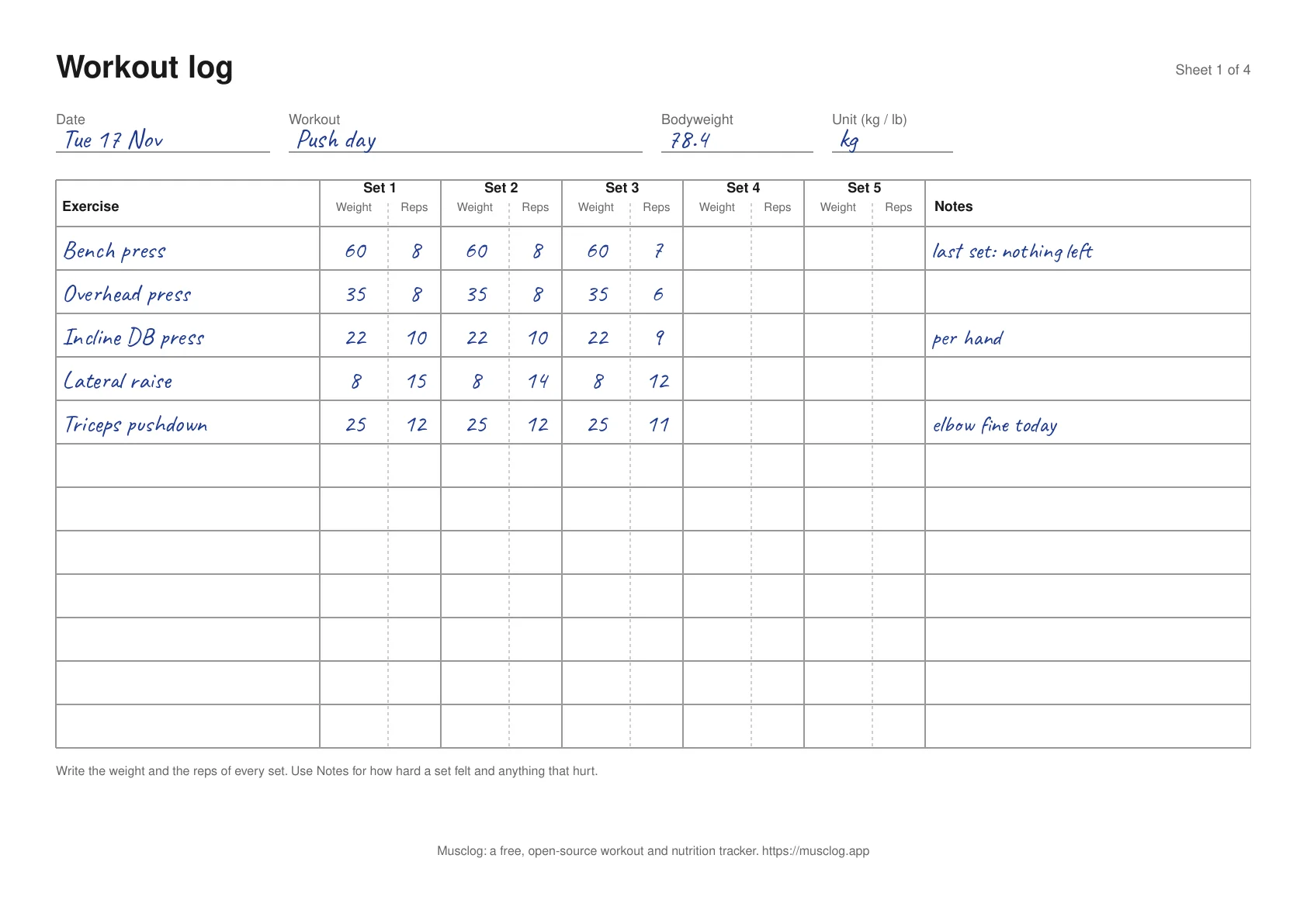
- Print it. Pick A4 or US Letter on the download page. One print covers about a week or two. Print as many as you like.
- Fill in the top before you start. The date, the workout and the unit. The unit matters later: “60” means something very different in kg and in lb.
- One row per exercise, one box pair per set. Weight on the left, reps on the right. Write it straight after the set, not at the end of the session. You will not remember the third set of lateral raises an hour later.
- Use Notes for how it felt. The simplest useful note is how many reps you had left: “nothing left”, “maybe 2 more”. A dumbbell weight is per hand, so say so. And write down anything that hurt.
- Before the next session, read the last sheet. This is the part an app does for you and paper does not. Look at what you did, and aim for one more rep, or a little more weight once you hit the top of your rep range. If you want a rule for that, double progression is a good one to start with.
There is no program printed on the sheets. You decide what goes in the rows.
Moving your paper log into Musclog
Paper does not draw charts or remember your best set. If you later want that, you do not have to start from zero.
The workout log page also offers a spreadsheet (Excel or CSV) with these columns: Date, Workout Name, Exercise Name, Set Order, Weight, Reps, RPE and Notes. That is the layout the Strong app exports, which Musclog’s importer already reads. Copy your sheets into it, one row per set, delete the example row, and save the Log sheet as CSV.
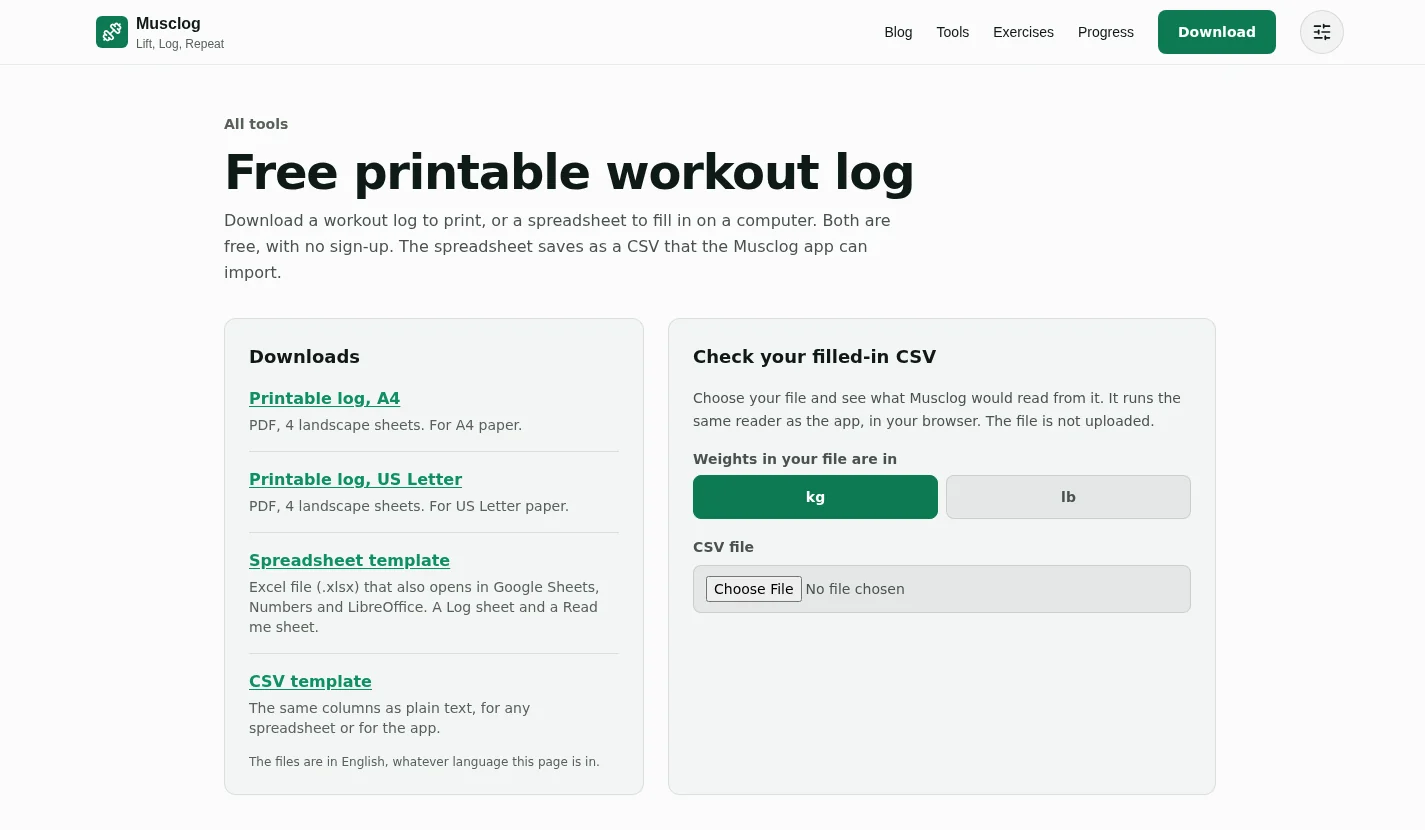
Before you open the app, the same page can check your file. Choose your CSV and it tells you how many workouts and sets Musclog would read from it, and warns if the example row is still there. It runs the same reader the app uses, in your browser, and the file is not uploaded.
Then, in the app, open Settings → Backups and data → Import workouts and pick the file. Musclog matches your exercise names to its catalogue, asks about any it cannot match, and shows a review before it saves a single session.
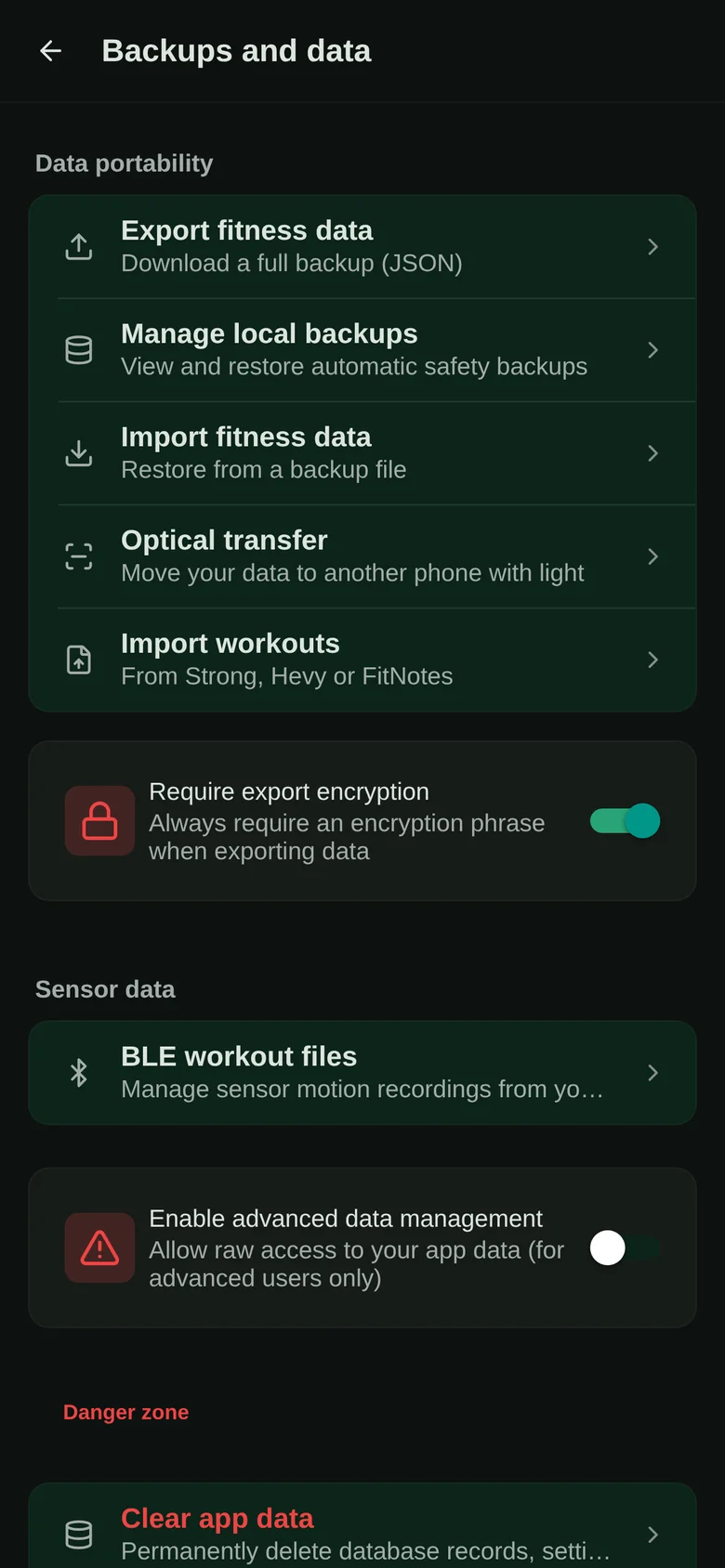
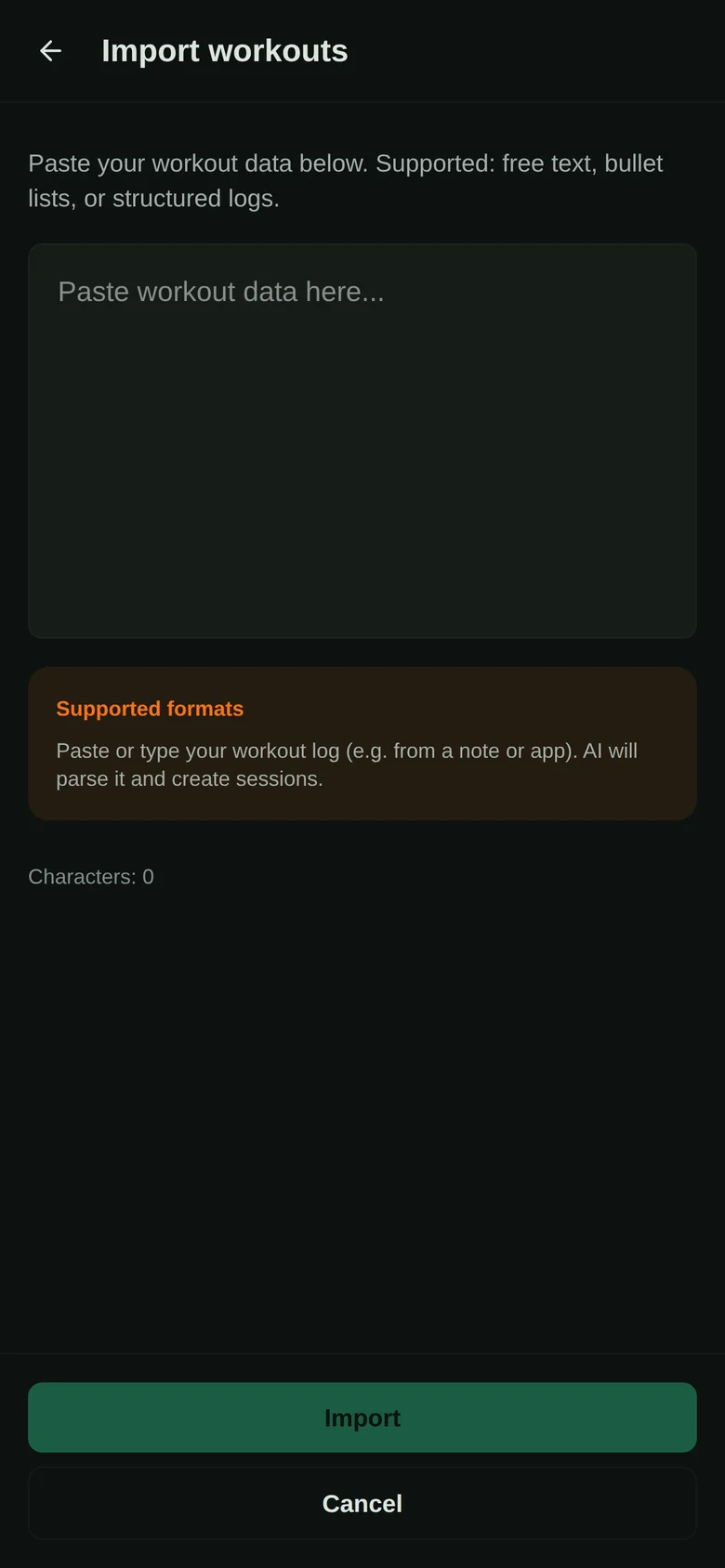
The import is the same one I wrote about in moving your workout history from Strong, Hevy or FitNotes, so the details there apply here too.
What about tracking your food?
Fair question. If you can log workouts on paper, why not meals?
I will be honest: I do not expect many people to count macros with a pen in 2026. But it was a fun thing to build, and a paper food diary does have one thing going for it. When you work out the numbers yourself, you learn very quickly where your calories come from. One tablespoon of olive oil stops being invisible once you have written “88” next to it.
Writing down what you eat is also one of the better-supported habits in nutrition. A systematic review of self-monitoring in weight loss found a consistent link between self-monitoring and weight loss across the studies it covered, and the most common method in those studies was a paper diary. The authors also say the evidence was weak, because of how the studies were done.
Paper is not magic, though. In a 2013 trial where people chose how to record their diet, those who used an app reported eating less than those who used a paper journal at six months, while how often they recorded did not differ. People chose their own method there, so that is a comparison, not proof that apps work better. Use whatever you will actually keep doing.
So the food diary comes in two versions.
Version 1: you already know the numbers
The first one is for when the calories and macros are already worked out for the amount you ate: from the per-serving column of a label, a meal you calculated before, or a food app.
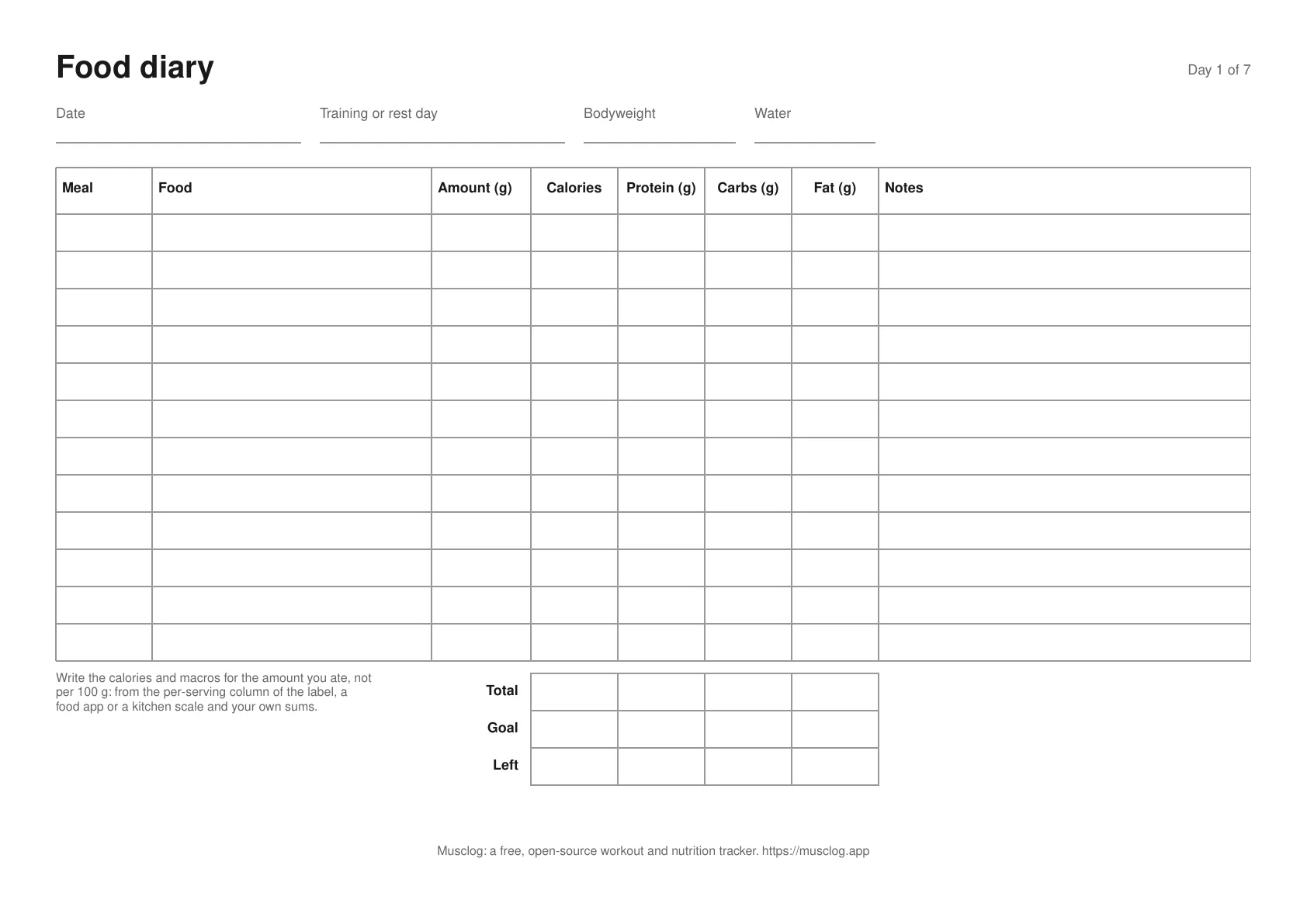
Each sheet is one day. At the top you write the date, whether it was a training or a rest day, your bodyweight and how much water you drank. Then one row per food: the meal, the food, the amount, and the calories, protein, carbs and fat for that amount.
At the bottom there are three rows of boxes:
- Total: add each column up.
- Goal: your targets for the day, if you have any. The sheet does not come with targets. If you need some, the protein calculator and the calorie deficit calculator are good places to start.
- Left: Goal minus Total. That is what remains of the day.
Version 2: per 100 g, you do the sums
Most food labels print their numbers per 100 g, and you never eat exactly 100 g. The second version is built for that.
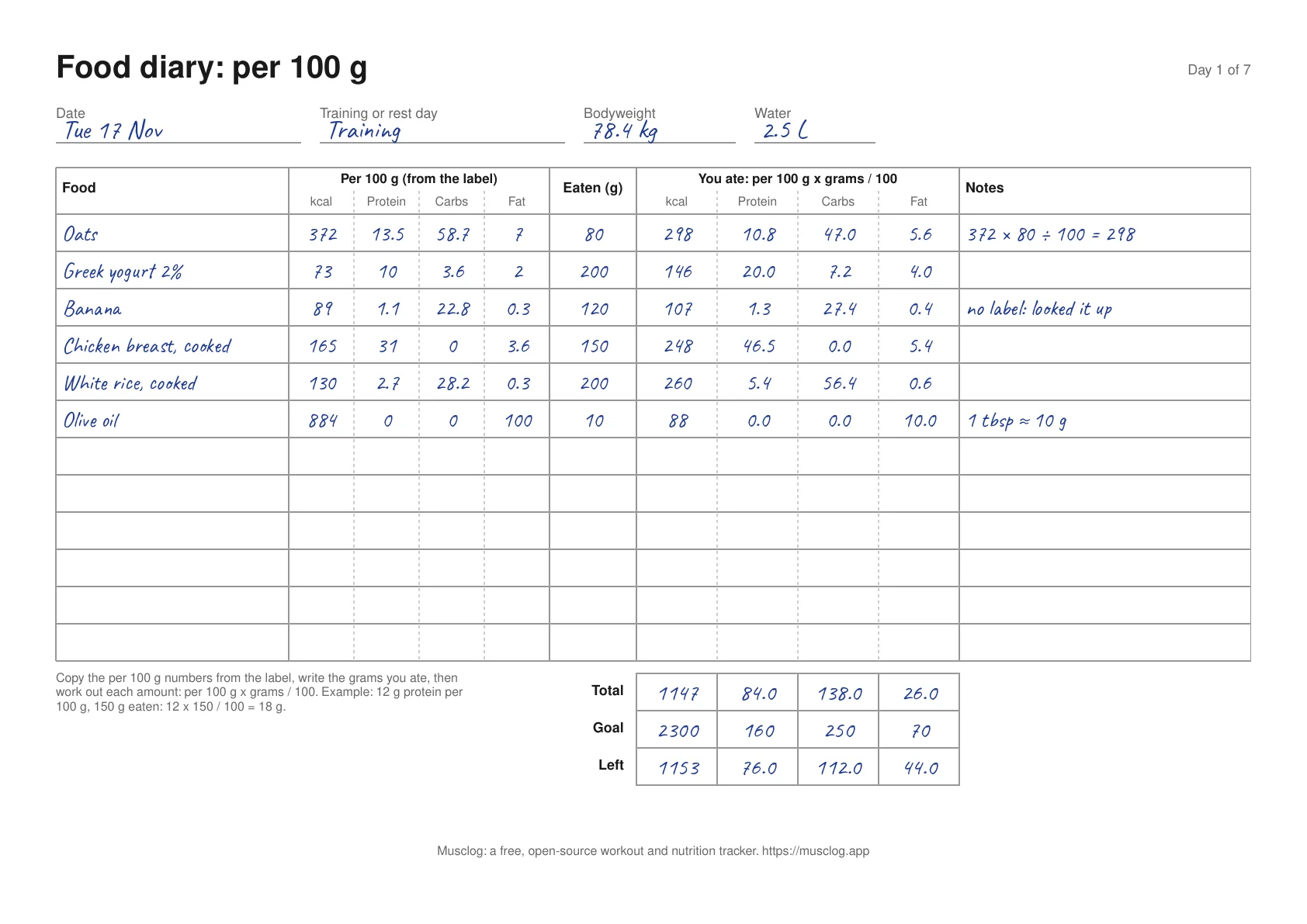
Each row has three parts:
- Per 100 g (from the label): copy the calories, protein, carbs and fat from the label’s per 100 g column. No label, like for a banana? Look it up once and write it down.
- Eaten (g): weigh what you actually ate. A cheap kitchen scale is the most useful tool here.
- You ate: for each number, work out per 100 g × grams eaten ÷ 100.
For the oats in the example above, the label says 372 kcal per 100 g and I ate 80 g:
372 × 80 ÷ 100 = 297.6, so about 298 kcal
Do the same for protein (13.5 × 80 ÷ 100 = 10.8 g), carbs and fat, and you have the whole row. Then fill in Total, Goal and Left at the bottom like on the first version.
Two things that trip people up:
- Raw or cooked. 100 g of dry rice and 100 g of cooked rice are very different. Use the label for whatever state you weighed it in. Labels for rice and pasta are usually for the dry product.
- Carbs on EU and US labels. An EU label’s carbohydrate line does not include fiber, and a US label’s does. If you mix foods from both, your carb total is a little off. I wrote a whole post about net carbs vs total carbs if you want the details.
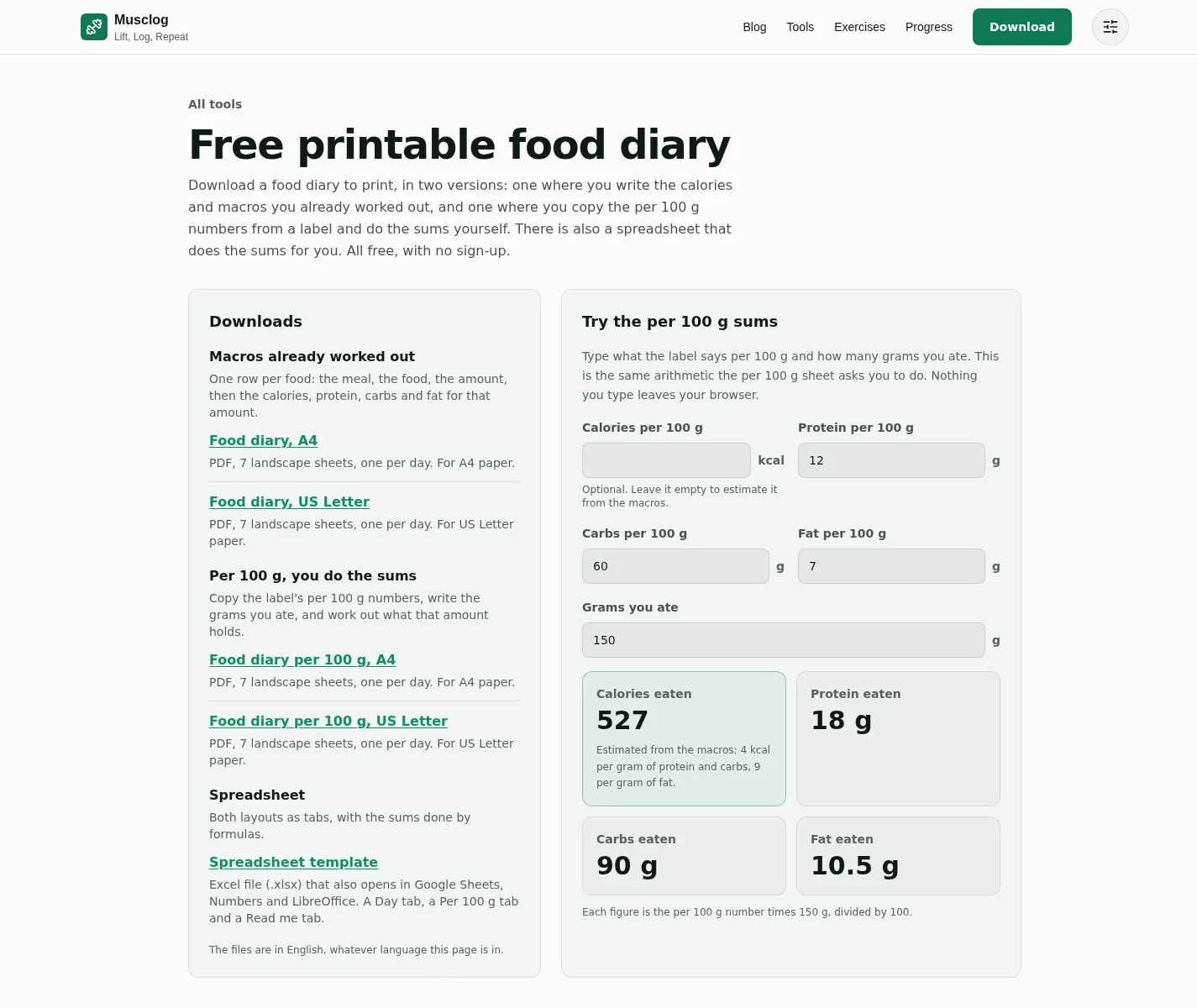
If you want to check your maths, the food diary page has a small form that does the same sum. Type the label’s numbers and the grams, and it shows what you ate. Leave the calories empty and it estimates them from the macros: 4 kcal per gram of protein and carbs, 9 per gram of fat.
The spreadsheet
There is also an Excel file (it opens in Google Sheets, Numbers and LibreOffice too) with both layouts as tabs. On the Per 100 g tab, you type the label’s numbers and the grams, and formulas fill in what you ate. Both tabs add up the day and show what is left of your goal. The formulas are plain, so you can read them or change them.
Unlike the workout log, there is no import for this one. Musclog cannot read a food diary spreadsheet, and I did not want to pretend otherwise.
Paper or app?
Use whichever one you will still be using in three months.
Paper is quiet, fast and needs nothing. What it cannot do is look things up for you, remember your last session, scan a barcode or add up the day on its own.
That is what Musclog does. It shows you what you lifted last time and suggests what to aim for next. For food, it searches a database, scans barcodes and works out the macros for the amount you ate, so you never do the per 100 g sums by hand. It is free and open source, it works offline, and your data stays on your device.
And on the days you leave the phone in the locker, you now have a sheet of paper that can catch up with the app later.
