Meet Musclog Iron: AI with nothing to set up, and nothing else locked away
Musclog is free, open source, has no ads and has no accounts. That is not changing.
There is one part of the app that has always been a little annoying, though: the AI. The coach, meal logging from a sentence and workout plan generation all need an AI model behind them, and until now that meant getting your own API key from Google, OpenAI or Anthropic, pasting it into the settings and paying that provider yourself. If you like that, it is a good deal. A lot of people just want to type “two eggs and toast” and have it logged.
Musclog Iron is for them. It is an optional monthly subscription that runs the AI for you. You subscribe, you switch it on, and the coach, the meal logging and the workout plans work. No key, no account, nothing to configure.
It is also, plainly, a way to support the app. Musclog is made by one person, and I would rather it paid for itself by letting you choose to pay for something optional than by selling your data or showing you ads. I will say exactly where the money goes further down.
What stays free
I want to be very plain about this, because “free app with a subscription” usually means the good parts moved behind a paywall. They did not.
Nothing in the free app moved behind Iron, and no new feature is locked. Unlimited workout routines and plans, your full history, the barcode scanner and nutrition label scanning, every chart, export and backup, strength levels, the Weekly Review, comeback mode, cycle tracking and the ten languages are all still free, and none of them need Iron.
The AI features have free ways in too, and they still work exactly as before:
- Your own key for Google Gemini, OpenAI or Anthropic Claude. You pay that provider directly.
- The free Musclog AI option, built into the app. It has a daily limit shared by everyone, and Google may keep and review what you send to it, so it is for adults only and not for anything personal.
- On-device AI or a local model, where your phone supports it.
- ChatGPT or Claude in their own apps, with a prompt Musclog gives you and a link that brings the result back. I wrote about that in Bring your own AI.
- No AI at all. Nothing in Musclog requires it.
If you already use your own key and you are happy, you have no reason to subscribe.
What Iron is
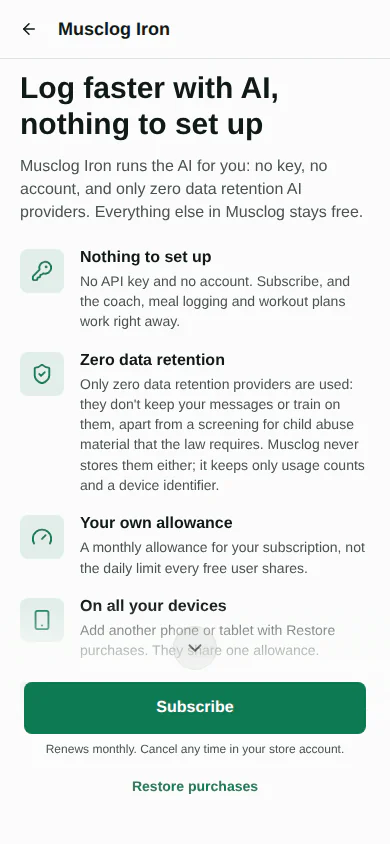
Iron is the option with nothing to set up. Specifically:
- No key and no account. Subscribe through your store and the app connects to Musclog’s own service.
- A monthly allowance of your own. It belongs to your subscription, not to a daily limit that every free user shares. The app shows how much you have used and when it renews.
- All your devices. One subscription and one allowance cover your phones and tablets on the same store account. Restore purchases adds another device. iOS and Android subscriptions are separate, because the stores are.
- Zero-retention providers only. Your requests go from Musclog’s service to OpenRouter, and only to AI providers that promise not to keep your content or train on it.
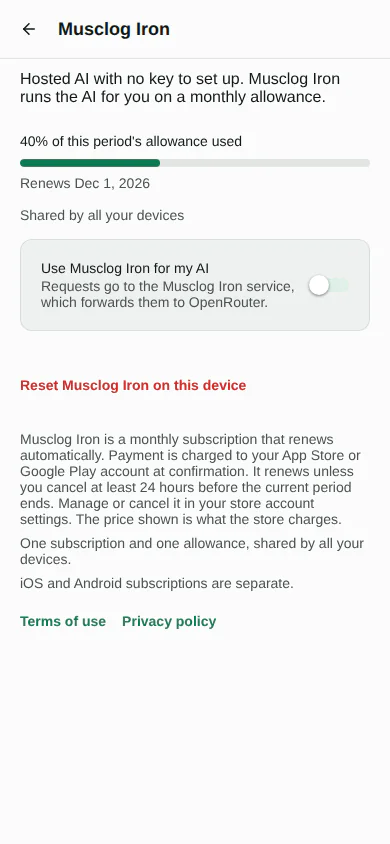
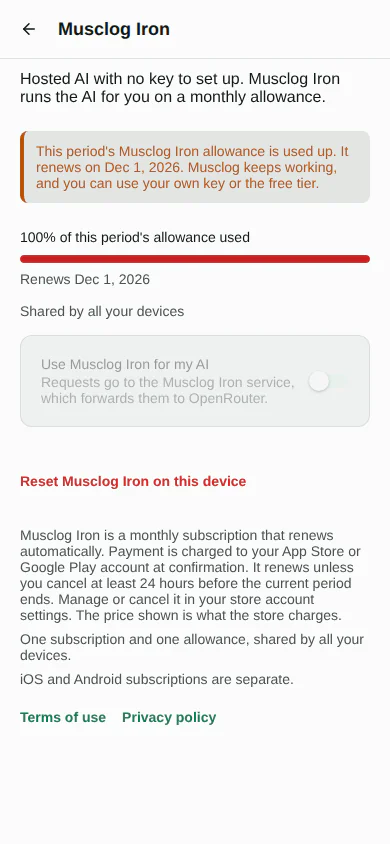
If the allowance runs out, the AI waits until the next period. The rest of Musclog keeps working, and you can switch to your own key or the free option yourself. The app never moves you to another provider without asking, because that would change who receives your messages. I think that is the most important rule in the whole feature, and it is a rule in the code, not only in this post.
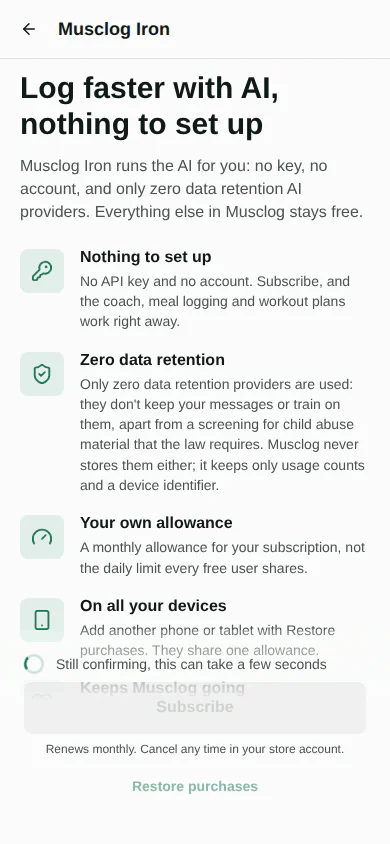
I have also tried to make the waiting honest. A purchase is two waits, the store and then the confirmation, and the second can take a few seconds. The screen says what it is doing instead of spinning, and if you close it halfway, the purchase carries on.
What happens to your messages
When Iron is on, your messages go to Musclog’s service on Cloudflare, then to OpenRouter, then to the AI model. Musclog’s service does not store your message text or the replies. It keeps a count of how much of your allowance you have used, an identifier made from a key that exists only on your phone, and a short fingerprint of each request for a week so that a retried request is not counted twice. It does not receive your name or your email address, because it never asks for them. The store handles your payment.
There is one thing about “zero retention” that I think you should know, because I only learned it while writing this. OpenRouter announced that it screens every request that passes through it, including zero-retention ones, for child sexual abuse material, and that it may keep a request it flags for review, reporting and legal preservation. Its own documentation says that this does not allow general retention or any use for training. It is a legal requirement and a narrow one, and it is in the consent screen and in the privacy policy, in plain words, because a privacy promise that leaves out its exception is not a promise.
The app asks for your consent before sending anything to Iron, and asks again if the wording ever changes.
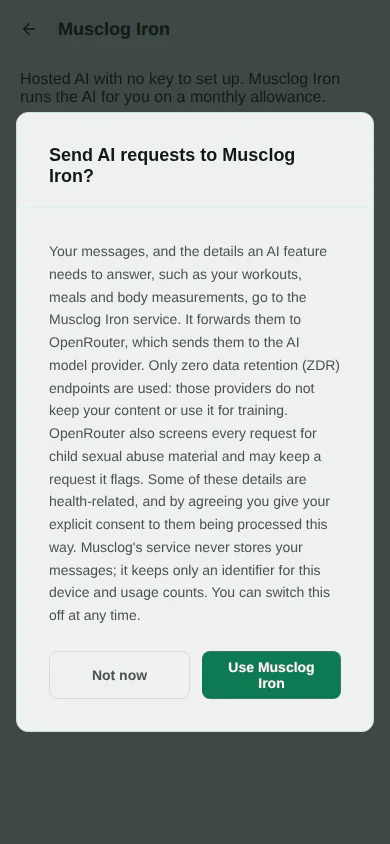
The full details are in the privacy policy, and if you want to know how it is built, I wrote that up separately: Hosted AI for an app with no accounts.
Where the money goes
You deserve a straight answer to this, so here is the order things come out in.
- The store’s cut and tax come out first. Apple and Google each keep a share of every subscription, and tax is taken before I see anything.
- Then the AI. Every reply costs tokens, and the server is built so that the AI used under one subscription can never cost more than half of what that payment brought in, after the store’s cut. That is a rule in the code, checked on every request, not a goal.
- What is left covers the rest. Refunds, exchange-rate swings, the Apple and Google developer accounts, the domain, and the server. The server runs on a free plan today, on purpose, which is also why sign-ups are capped.
- And then, a little, me. The app’s own announcement says it as plainly as I can: after the store’s cut and the AI costs, only around one euro of each subscription is left for me. It is what keeps Musclog going, and it is not a lot.
If you subscribe, you are paying for your own AI and helping the project carry on. If you do not, the app is exactly as good as it was yesterday.
Meet the iron Loggy
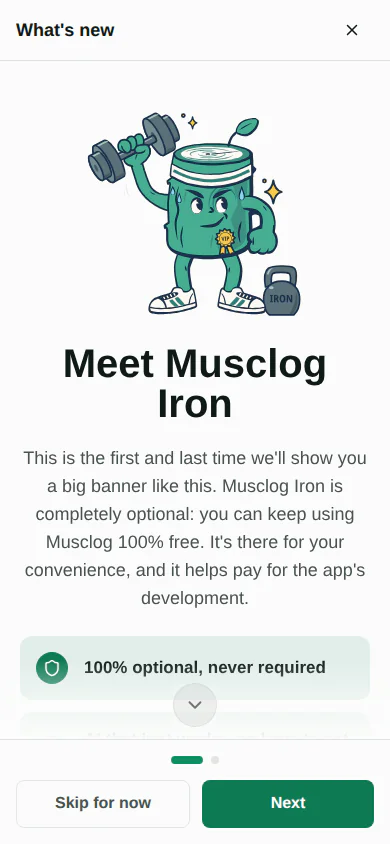
Announcements about subscriptions are usually boring, so Iron got a new Loggy. He is lifting a dumbbell overhead with a VIP rosette on his chest and a kettlebell lettered “IRON” by his shoes. He is generated from the same set of parts as every other Loggy pose, with seven parts of his own, and he is animated: the dumbbell goes up and down with each rep, the sweat drops pulse, the rosette swings and the sparkles twinkle. If you have “reduce motion” on, he holds the still. There is a longer story of how the pose is built in the technical post.

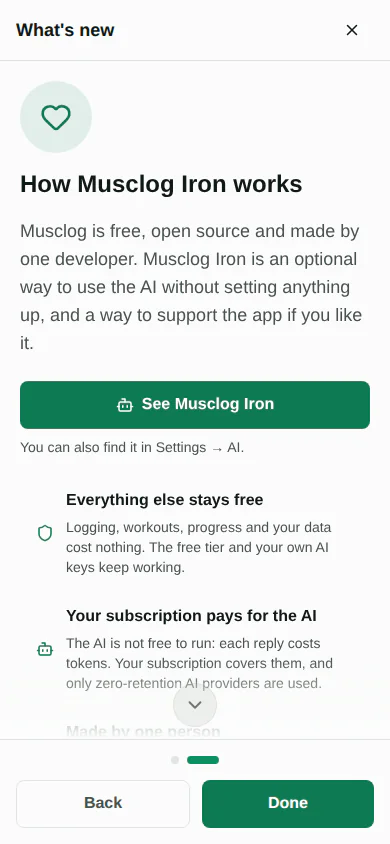
He opens a one-time tour in the app that explains Iron in a few lines. It tells you up front that it will not show a banner like that again, and that Iron is completely optional.
What is not there yet
- Photos. Photo analysis is not part of Iron yet. If you want to log a meal from a photo, use your own key or the free option.
- No free trial. The free options above are the way to try AI in Musclog before you pay for anything.
- iOS. I have tested Iron end to end on Android with a real card. The iOS app is still in TestFlight while I finish the App Store listing, so treat iOS as the one that comes after.
- Translations. The Iron screens and the policy are available in all ten of the app’s languages, but nine of them are machine-translated and still need a native speaker to read them. If you spot something odd, please tell me.
How to try it
- Open Settings, then AI settings, and choose Musclog Iron.
- Subscribe with your store account. If you already have a subscription, tap Restore purchases.
- Read the notice and turn on Use Musclog Iron for my AI. Nothing is sent until you do.
The price is shown in the app, in your currency, before you buy. It renews monthly until you cancel, and you can cancel at any time in your App Store or Google Play subscription settings. There is a Manage subscription button in the app that opens the right page. Terms are on the terms page.
Questions I expect
Is Musclog still free? Yes. The app is free and open source, and Iron only pays for running the AI for you.
Do I need Iron to use the AI? No. Your own key, the free option, on-device and local models, and ChatGPT or Claude in their own apps all still work.
What if I subscribe and change my mind? Cancel in your store account, and it stops renewing. Refunds are handled by the store under its own policy, so that is where to ask.
Can you read my messages? No. Musclog’s service does not store them, and it does not know your name. The one exception is the legally required screening described above, and it is in the consent screen.
Thank you for using Musclog. If you subscribe, thank you twice.
