
I trained my own model to get rep insights
Barbell velocity tracking is a real thing that serious lifters and coaches use. Knowing that rep 8 was 40% slower than rep 1 tells you something concrete about fatigue that RPE can’t. The devices that do this are legitimately useful.
They also cost ~€150 plus a monthly subscription, and the monthly part is the bit that gets me, because you end up paying rent on a graph of how fast you moved a bar, which is something your phone can already calculate on its own.
I’ve made my feelings about fitness app subscriptions clear enough elsewhere, so I won’t go down that road again. I’ll just say: the IMU sensor inside those devices costs about €20 on AliExpress. So that’s what I bought.
Musclog, quick recap
Musclog is my open-source React Native / Expo workout tracker. It’s free, with no subscription and no account needed. I started building it in 2024 because Google Fit was being deprecated and the apps I tried all wanted my credit card to show me a rep chart. I’ve been writing about it and using it daily ever since, including the time it ate a user’s nutrition logs because of a SQLite WAL problem.
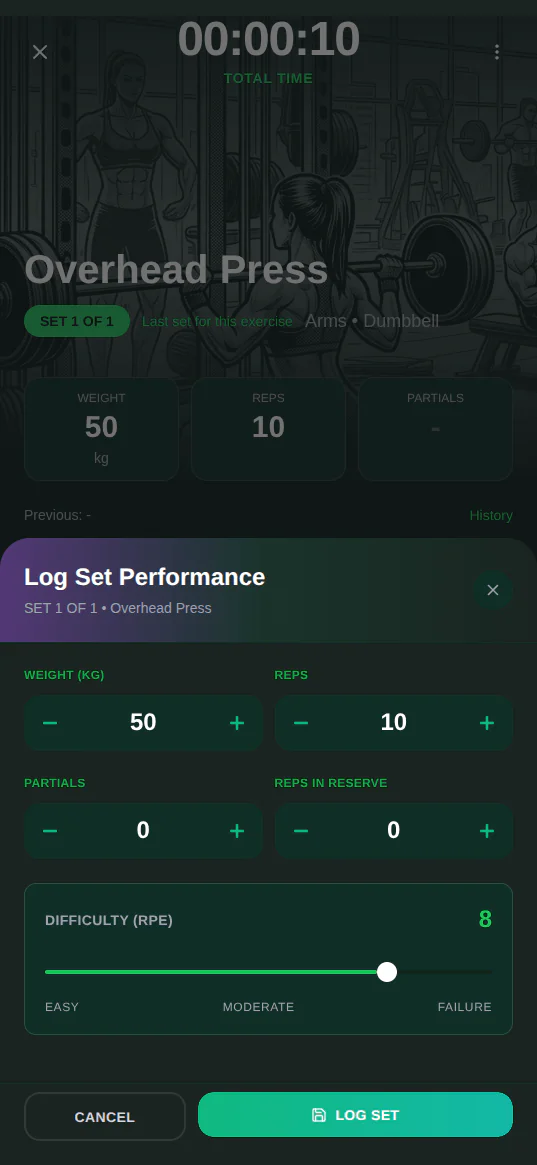
The whole repo is at github.com/blopa/musclog-app. This post is about a new feature I’ve been hacking on: using a cheap BLE motion sensor to automatically count reps and measure velocity, so you don’t have to type anything in the gym.
The device
The WitMotion WT9011DCL is a Bluetooth Low Energy IMU the size of the tip of my thumb. It reports accelerometer, gyroscope, and Euler angle data at up to 200 Hz over BLE and costs around €20. You strap it to your barbell with velcro and pair it with your phone.
That’s the whole hardware story.
Every sample the sensor sends looks like this:
{
  "timestamp": 1778956079760,
  "accel": { "x": -0.16, "y": 0.17, "z": 1.05 },
  "gyro": { "x": 1.89, "y": 0.0, "z": -0.37 },
  "angle": { "x": 11.39, "y": 14.29, "z": -11.58 }
}
That’s three axes of acceleration, three of angular velocity, and three Euler angles, and at 100 Hz the sensor sends 100 of them every second. A single set of bench press produces roughly 2500 samples. All of that gets buffered in the app during the set and used after to count reps and extract velocity data.
The BLE module
Adding BLE support to this device in my app is not something npm install wit-motion gets you (sadly). I had to write a custom native module, which I called @musclog/witmotion-ble. It wraps react-native-ble-plx and handles the scanning, connecting, and decoding of the WT9011DCL’s proprietary packet format. The Android and iOS sides decode incoming characteristic notifications into typed motion packets.
On the JavaScript side, all of that surfaces through a single hook:
const { liveData, isConnected, startScan, connect } = useWitMotion();

// liveData updates in real time with every packet from the sensor:
// liveData.accel  → { x: number, y: number, z: number } | null
// liveData.gyro   → { x: number, y: number, z: number } | null
// liveData.angle  → { x: number, y: number, z: number } | null
// liveData.batteryPercent → number | null
During a set, a separate batch callback collects every packet without triggering React re-renders on every sample (100 times per second would not be ideal for the UI):
witMotionClient.onBatch((batch) => {
  recordingBuffer.push(...batch.packets);
});
When you finish the set, the recording buffer gets serialized to JSON, attached to the set in the database, and fed into the rep-counting pipeline. Pairing is one tap: scan → filter by name prefix WT9011 → connect. There’s no account, no cloud, and no subscription.
What comes out of the pipeline per rep is this:
export interface PerRepResult {
  index: number;
  startMs: number;
  endMs: number;
  durationMs: number;
  phaseADurationMs: number; // start → turning point
  phaseBDurationMs: number; // turning point → end
  phaseASpeedDps: number; // deg/s going up
  phaseBSpeedDps: number; // deg/s coming back down
  classifierConfidence: number;
}
Phase A and Phase B are the two halves of each rep split at the turning point, the moment the bar reverses direction. Speed is angular displacement divided by duration in degrees per second. For a bench press, one phase is the descent, the other is the press. Which is which you can figure out from the sign of the signal.
The baby model
Here I have to be honest: I don’t know much about machine learning. For me Random Forest is the name of a level in a generic RPG Maker game made in the early 2000s.
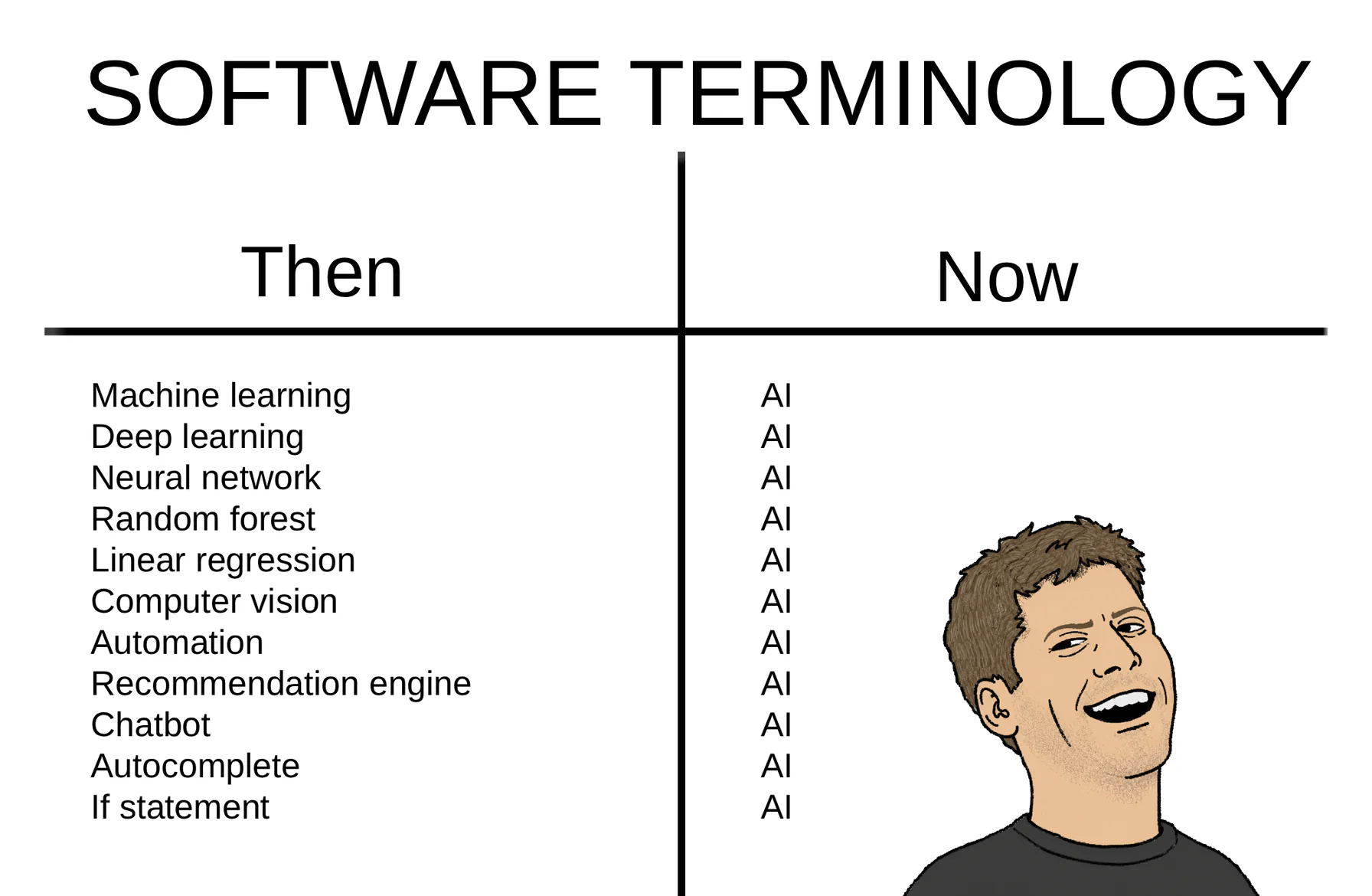
I should also clear something up, because this kept happening every time I brought it up in conversation. I’d mention that I was training my own model to count my reps, and the response was always some version of “isn’t that expensive?” or “wait, do you have a supercomputer at home?”. Then I’d explain that no, it’s not an LLM, it’s just a regular AI model, and somehow that made people more confused rather than less. In about two years the word “model” got so completely colonized by ChatGPT that saying it out loud now implies a datacenter, a GPU shortage, and a monthly bill.
This is the boring kind, the machine learning that existed before any of that. It’s a RandomForest, an algorithm from 2001, with 200 trees and a max depth of 6, trained on 30 JSON files on the same laptop I’m writing this post on. The finished model is a 496 KB JavaScript file, which makes it smaller than the Tinkercad screenshot further down this page. There’s no GPU, no cluster, no API key, and no tokens getting burned anywhere.
Training the model
So I described the problem to Claude and asked it to write the training script. The problem was: I have a folder of JSON recordings, each one a set with all the motion samples and a known rep count. Make a model that can predict rep count from a new recording.
Claude’s approach was called “Segment-and-Score”.
The first step is picking the best signal axis. The sensor gives 9 raw channels. For bench press one of the angle axes will be cleanly periodic. For cable pulls it might be accelerometer. The script tries all of them, scores each by how concentrated the power is in the 0.1–3 Hz band (that’s the physiological range for any loaded rep, from “superslow 10-second eccentrics” to “speed work”), and picks the winner:
def _spectral_score(sig: np.ndarray, sr: float) -> float:
    freqs  = rfftfreq(len(sig), d=1.0 / sr)
    power  = np.abs(rfft(sig)) ** 2
    mask   = (freqs >= _BP_LO_HZ) & (freqs <= _BP_HI_HZ)
    if not mask.any():
        return 0.0
    peak_power  = float(power[mask].max())
    total_power = float(power[mask].sum()) + 1e-10
    return peak_power / total_power
A high score means the signal is periodic, and a low score means it’s broadband noise or the sensor barely moved on that axis. The axis with the highest score wins, and that’s the entire selection rule.
Then it over-segments that signal: finds every possible peak and valley with a deliberately low prominence threshold. This produces more candidate segments than actual reps on purpose. It’s easier to filter out false positives than to recover from missed reps.
From there it extracts 42 features per segment (amplitude, duration, energy, spectral entropy, temporal regularity, position in the set, one-hot muscle group, equipment type, and mechanic type) and trains a RandomForestClassifier with leave-one-recording-out cross-validation.
The clever part I “had” to delete
The original labeling was fully automatic, and I was pretty pleased with myself. Every recording already had a reps field, the count I confirm after the set, so the script never needed me to annotate anything. It ranked the candidate segments by a score combining amplitude, energy, and how consistent the timing was with the rest, then declared the top N real reps and everything else noise:
# the old pseudo-labeler, no longer in the repo
seg["pseudo_score"] = seg["amplitude"] * np.sqrt(seg["energy"] + 1e-6) * tc
ranked = sorted(segments, key=lambda sg: -sg["pseudo_score"])
for i, seg in enumerate(ranked):
    seg["is_rep"] = 1 if i < n_reps else 0
It gave me free labels with no annotation work at all, and I thought it was very clever.
It was also wrong a lot of the time. That heuristic is a guess, and the classifier can only ever be as good as what you tell it the truth is. On a clean barbell curl it picks the right 10 segments. On a cable row where the sensor wobbles between reps, it confidently labels the wobble as rep 4 and the actual rep 4 as noise, and then I train a model on that and wonder why it’s bad.
So I deleted it. repMarkers are now mandatory: hand-drawn start/end boundaries for every single rep. The rep count is always len(repMarkers), and the reps field the app writes is now purely a hint the annotation tools show me (“10 reps expected”) while I’m placing markers. Nothing in train.py or predict.py reads it. A recording without markers gets skipped with a SKIP (no repMarkers) and doesn’t train anything.
Labeling is now IoU matching, which is boring in the good way:
for i, seg in enumerate(segments):
    if i in claimed:
        continue
    overlap = max(0.0, min(seg["end_ts"], m_end) - max(seg["start_ts"], m_start))
    if overlap == 0.0:
        continue
    s_dur = seg["end_ts"] - seg["start_ts"]
    iou   = overlap / (s_dur + m_dur - overlap + 1e-6)
Each marker claims the candidate segment it overlaps most, one segment per marker, and anything left over is noise. There’s no ranking, no heuristic, and no scoring function I have to defend.
The cost is that somebody has to draw those markers, so I built a browser tool for it at musclog.app/rep-marker. Drop in a recording JSON, optionally a video of the set, drag out the reps on the chart, download a _marked.json. It plots two views because dead-reckoned position drifts so badly it buries the reps: the device’s own drift-corrected Euler angle, which is clearest for anything rotational, and raw per-axis acceleration plus magnitude, which is drift-free and works for everything else.
It’s tedious, and it’s also the only version where I trust what the model is being told.
One model, then eight
The other thing that changed: there isn’t one model anymore.
A barbell squat and a cable lateral raise do not look alike to an IMU. One is a big slow angular sweep, the other is a small twitchy arc where the sensor barely rotates. Feeding both to one RandomForest and hoping the mechanic_* one-hot features sort it out is optimistic. So train.py now trains a pooled general model across everything, and then tries a dedicated model per mechanic type: cardio, compound, isolation, mobility, other, plyometric, stretching, and unknown.
Here’s the part I want to be loud about, because it’s the part I would have gotten wrong on my own: a dedicated model only ships if it actually beats the pooled one.
Splitting your data by category feels like it should help. It also throws away training data. With 30 recordings spread over eight mechanic types, a “dedicated” compound model might be trained on three recordings while the general model saw all 30. That trade loses far more often than my intuition says it does. So the script runs leave-one-recording-out on the candidate, runs the pooled model on those same held-out recordings, and compares MAE:
if mt_mae >= general_mae:
    row["status"] = "rejected"
    continue  # that mechanic type keeps using general
Rejected and skipped types don’t get a file. No placeholder, no stub, no empty model sitting there pretending to be trained. The app just reads a generated map:
const MODEL_LOADERS = {
  general: () => require('./model_general.js').classifySegment,
};
Absence means “use general”, so adding or dropping a per-type model is purely a training-time decision and zero code changes in the app. Those loaders are thunks and not imports for a very practical reason: each forest exports to about 500 KB of JavaScript, and statically importing nine of them would put 4.5 MB in the bundle and parse all of it at startup. This way a session only parses the one or two it actually touches.
And what ships today, after all that? Exactly one model, the pooled general one, because not a single mechanic type has cleared the bar yet.
I could have skipped the comparison and shipped eight models that all look impressive in a directory listing. I’d rather ship one honest one.
The export
The export step is still the part that makes me genuinely happy. The whole trained classifier gets converted to a JavaScript function with one line:
raw_js = m2c.export_to_javascript(clf, function_name="classifySegment")
That’s m2cgen. Out comes a pure JS function. No ONNX runtime, no TensorFlow.js, no 40MB dependency. The app imports it directly and runs the full pipeline on-device, in TypeScript, with no network calls.
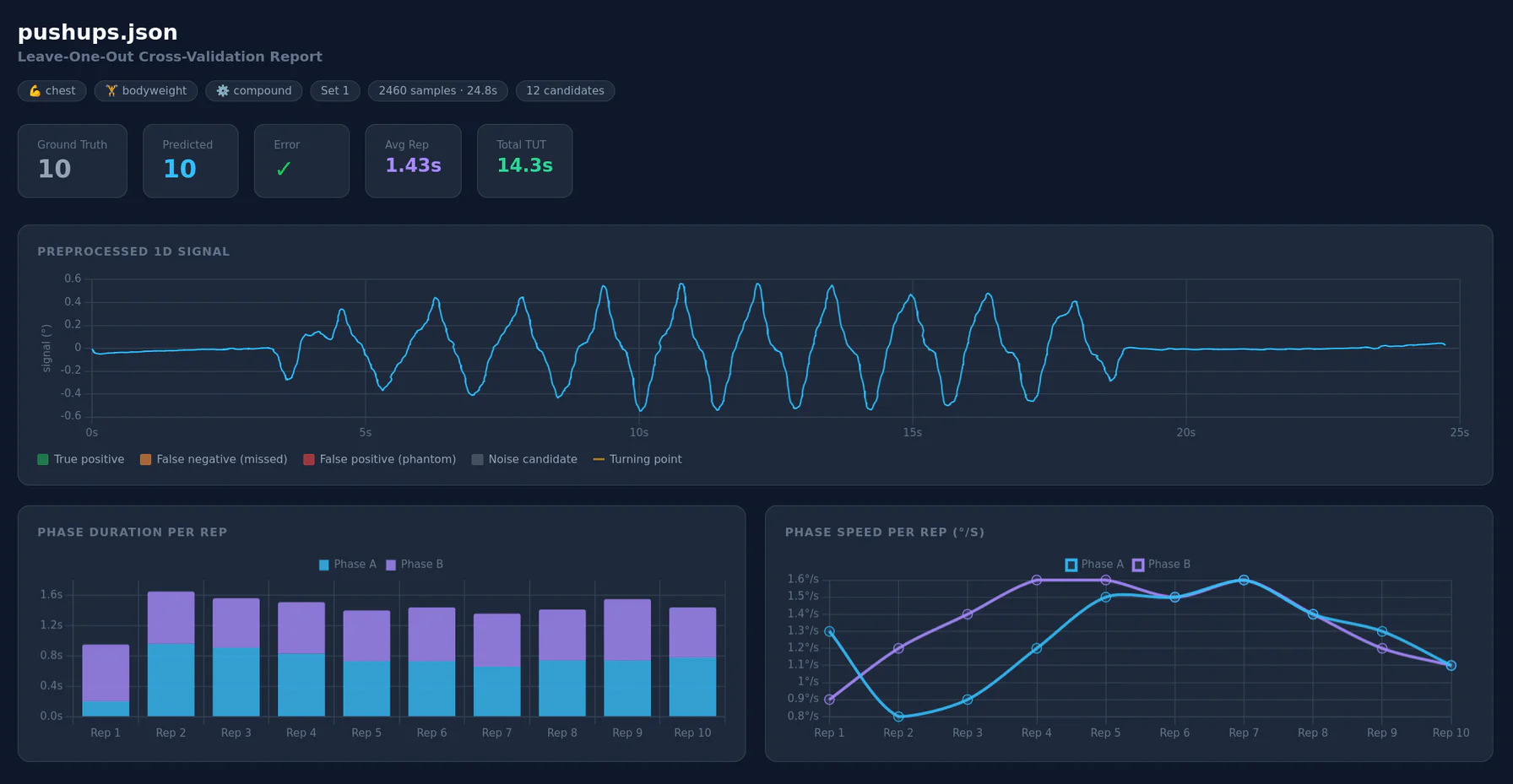
The chart above is a pushup set from my own data. Ground truth was 10 reps and the model predicted 10. Phase A and B durations stay consistent through reps 1-7, then Phase B starts stretching out toward the end because the last few reps were harder, for a total time under tension of 14.3s.
It works when it works.
When it doesn’t work
The current model is trained on 30 hand-marked recordings from my gym sessions here in the Netherlands. Bench press, deadlift, squat, cable curls, seated row, lat pulldown. All from me, in one gym, with one way of taping the sensor to the bar.
Leave-one-out cross-validation gives:
- Segment-level F1: 0.76
- Recording-level MAE: 3.83
- Exact rep count match: 4 out of 30 recordings (13%)
Against the pseudo-labeled run I wrote about earlier, MAE went from 4.67 down to 3.83 and F1 crawled from 0.75 to 0.76. The exact-match rate went down, from 19% to 13%, which looks worse until you notice it’s still the same 4 recordings, just out of a bigger pile. I can’t cleanly separate “better labels” from “more recordings” here, because both landed at once. What I can say is that being off by 3.83 reps on average is still not a feature, it’s a demo.
For exercises with clear angular motion (bench, squat, barbell curls) it performs noticeably better. For cable machines and exercises where the sensor barely rotates it struggles. One person’s training data from a gym in Amsterdam is not a representative dataset, which I realize is not a shocking discovery.
The model needs more variety: different people, different bar speeds, different sensor placements, more exercises. That’s where you come in.
The case
Before any of the ML stuff was useful in the gym, I needed a way to actually attach the sensor to a barbell cleanly. The obvious answer was a 3D printed case with a velcro strap slot. I use Tinkercad because my 3D modeling skills top out at “box with a hole in it”.
The problem: Tinkercad needs a reference model of the device to design around. WitMotion doesn’t publish an STL. They do publish official dimension specs in their docs (23.5mm × 32.5mm × 8mm, rounded corners), but going from those numbers to an actual 3D model requires CAD software I don’t know how to use.
So I built a web app with v0 to solve it. Upload the official product photo as background, adjust a rounded-rectangle overlay with sliders until it traces the device outline, then export an STL from the matched dimensions. Trial and error until the numbers stabilize.
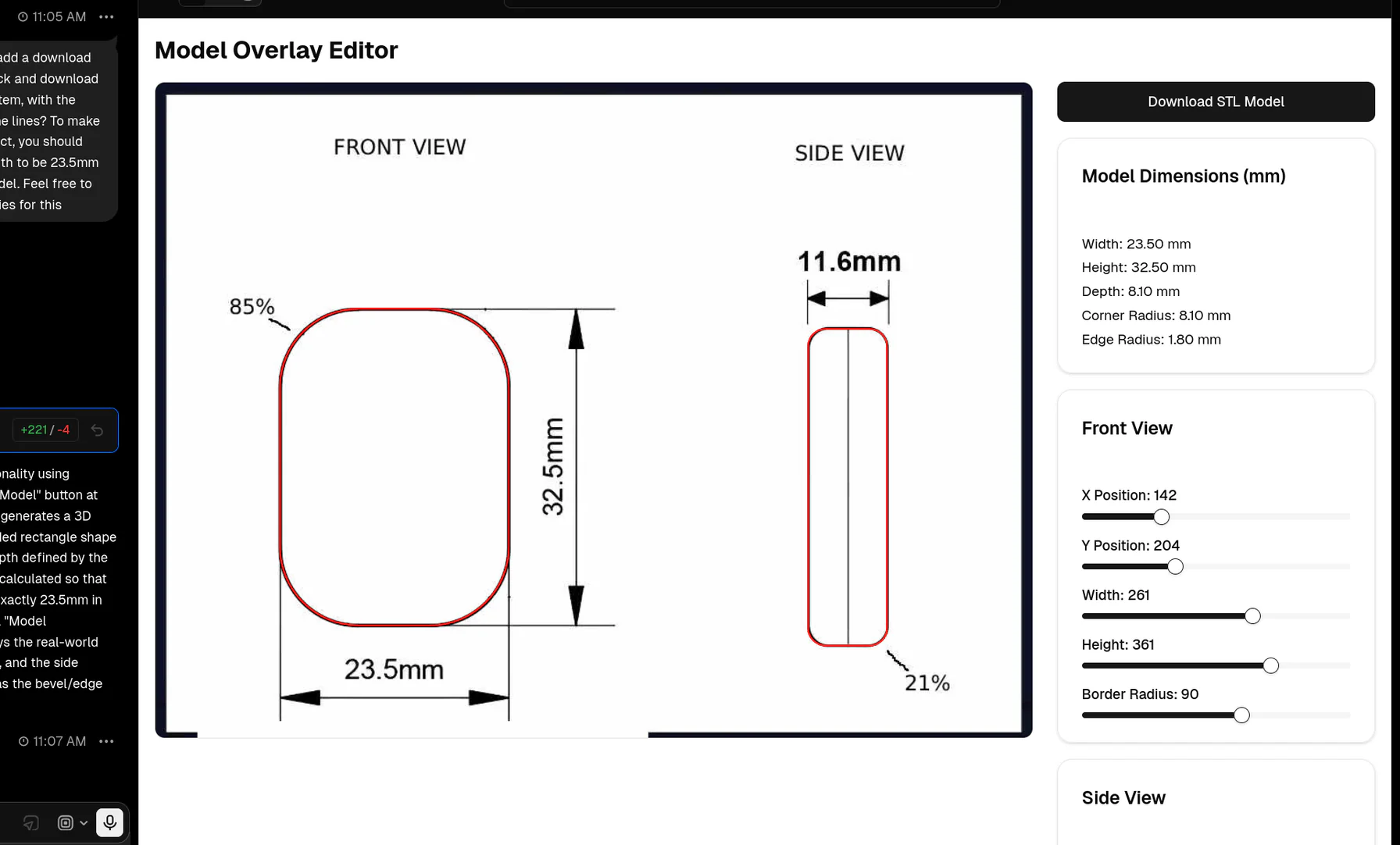
It took maybe 45 minutes of nudging sliders. The final dimensions: 23.5mm × 32.5mm × 11.6mm. I had an STL of the device.
From there I took it into Tinkercad and built the case around it.
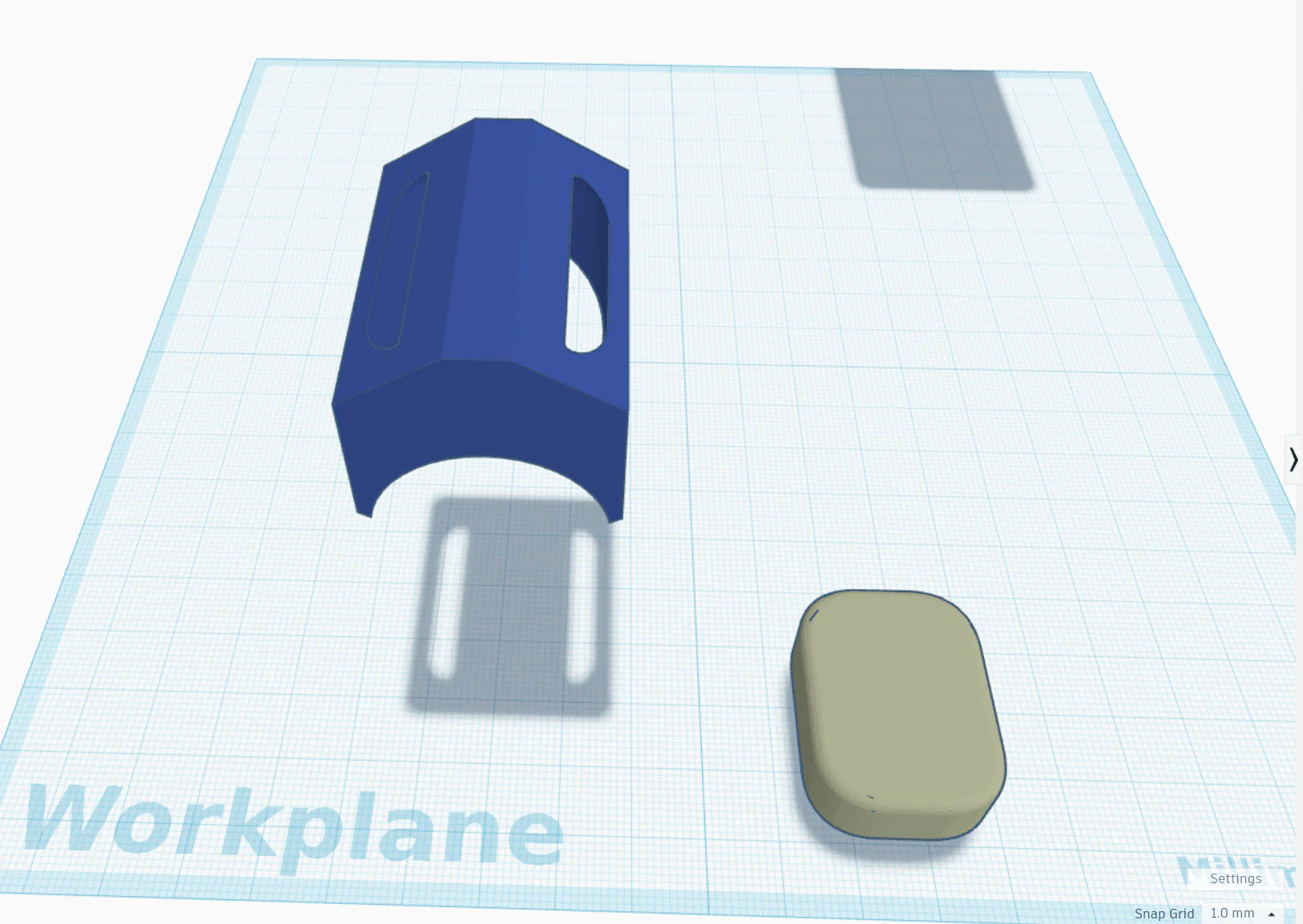
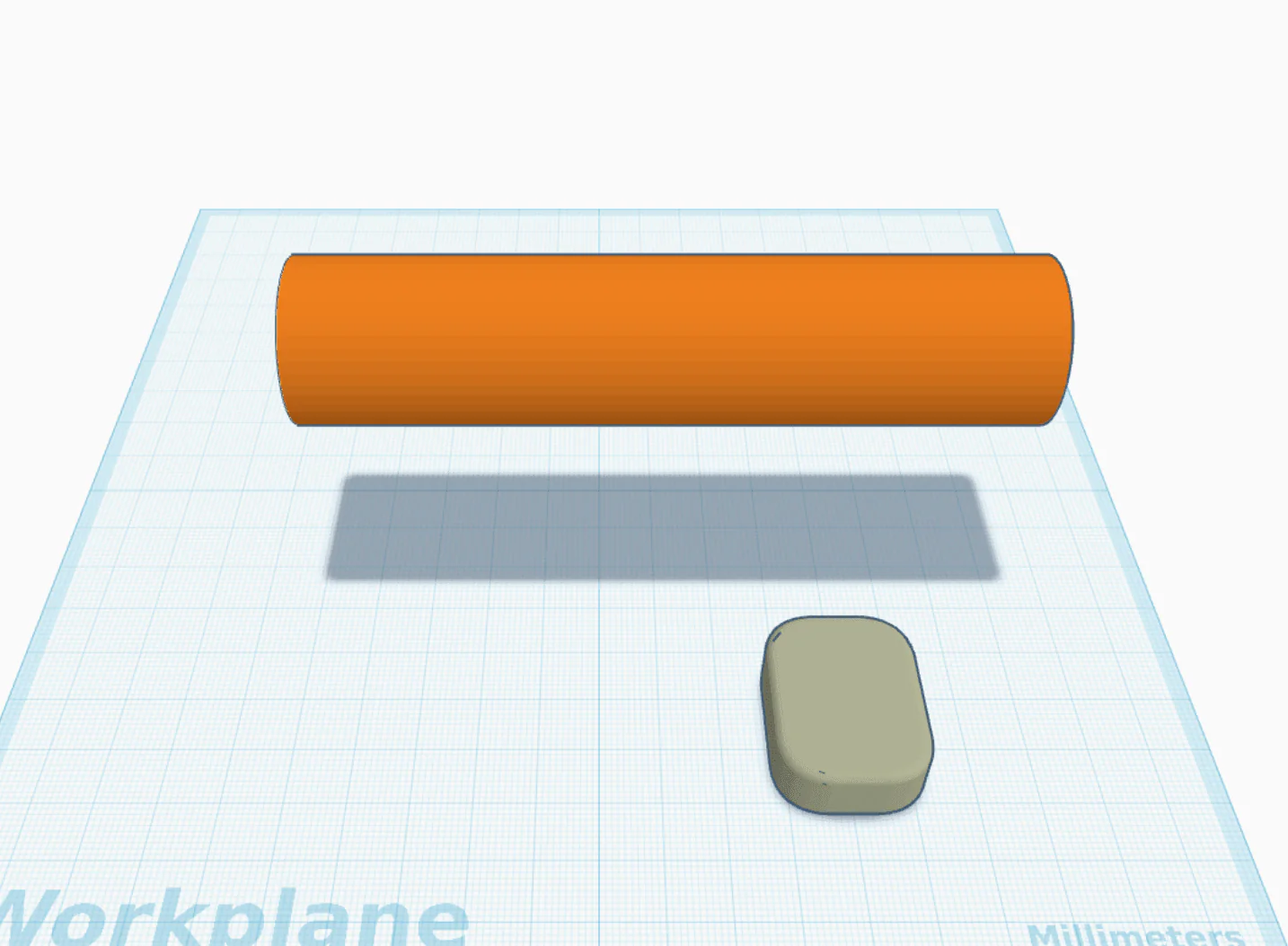
The case holds the device and has a velcro strap slot. It looks like the first house you ever build in Minecraft, and I am ok with this. Both files are in the Musclog repo: wit-motion-model.stl is the device itself, and wit-motion-holder.stl next to it is my Minecraft house. If anyone with actual Fusion 360 skills wants to build something better around the device model, please do.
I need your recordings
The whole pipeline is open source in training-data/ inside the Musclog repo. If you have a WT9011DCL and want to contribute, there’s a shared Google Drive folder where you can drop JSON files. The app exports them from the set detail screen after a BLE-recorded set.
The one thing that changed, and it’s the important one, is that a raw recording is no longer enough on its own, because it now needs repMarkers. Run your export through musclog.app/rep-marker, drag out where each rep starts and ends, and upload the _marked.json. A recording without markers gets skipped by the trainer entirely, so an unmarked file is a file that trains nothing.
Yes, this is more work than it was. It’s also the reason the labels are worth anything.
Pulling the community recordings locally and retraining is two commands:
python download_recordings.py  # fetches all JSON files from the Drive folder
python train.py                # retrains and exports to output/models/
download_recordings.py uses gdown to pull everything from the shared folder without needing auth:
gdown.download_folder(
    url=FOLDER_URL,
    output=tmp_dir,
    quiet=False,
    use_cookies=False,
)
That writes model_general.js, any per-mechanic models that earned their spot, a models.js map, and a manifest.json recording every adopt/reject decision and the MAE behind it. From the repo root, npm run update-reps-model does the training and copies the result into the app in one go.
More recordings means a better model, and right now I’m the only data point, which is a problem.
Where it stands
The BLE feature is live in Musclog. Pair the sensor from settings, and during a set it records everything. After you confirm the rep count, the pipeline runs and stores per-rep phase data. The signal chart (like the pushup screenshot above) is still in the validation tooling and not the main app UI. That’s the next thing.
The STL files are in the repo, and the case works even though it’s ugly. Hopefully someone builds something better around that model file and sends a PR.
The thing I didn’t expect to learn from any of this is how much of “doing machine learning” turned out to be refusing to let myself off the hook. The pseudo-labeler was elegant and I liked it and it was quietly poisoning the training set. The per-mechanic split felt like an obvious upgrade and so far not one type has earned its own model, either because there isn’t enough data to judge it or because it got judged and lost. Both times the useful move was measuring the thing I already wanted to believe.
And if you have a barbell and €20, come log some sets and mark some reps. The model needs your data more than it needs mine.
